A little adventure. A real piano.
Turn piano practice into a flight.
Their piano is the controller. Every note sends a paper plane through a colorful world. A gentle way for young pianists to practice between lessons.
Free during the pilot. No account or download needed.
Play the piano you have
The microphone hears single notes. No cable needed to get started.
Take it at their pace
The first flights wait for the right note. No timer, no losing.
Keep their teacher's music
Photograph a suitable lesson page, check the notes, and make it a route.
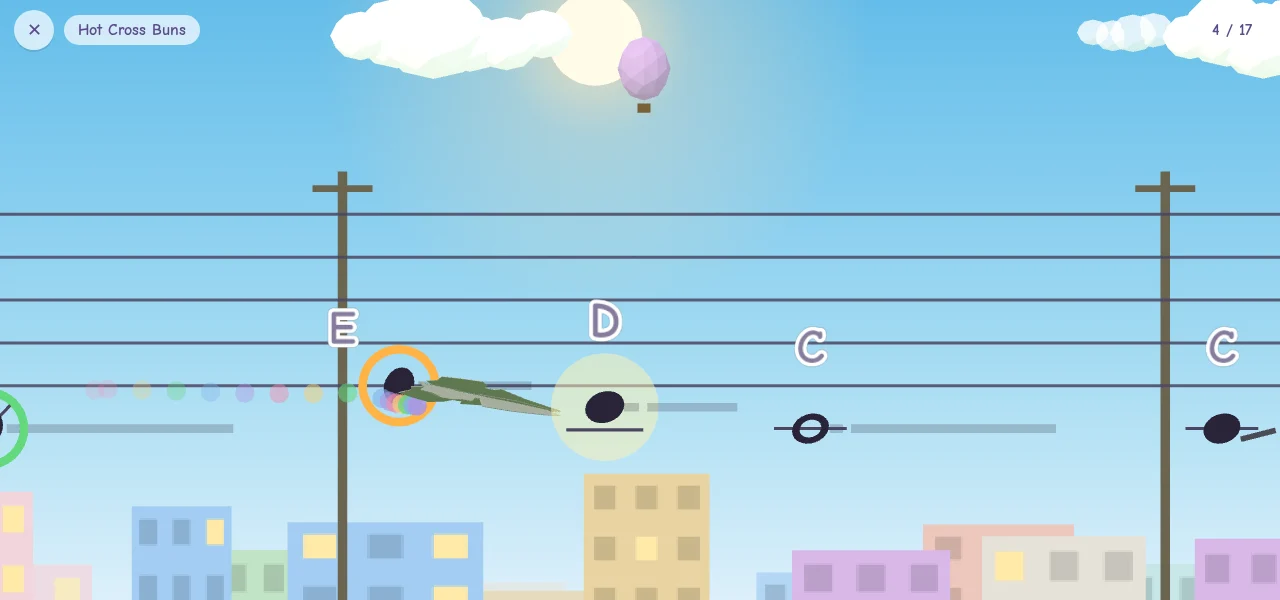
A piano-powered paper plane
See a few notes take flight.
The notes sit on a real musical staff. The plane waits, the right note moves it forward, and the next little adventure begins.
Try the first flightFrom piano stand to takeoff
A first flight in a few small steps.
Put your device on the piano
Open Jetten on a phone or tablet, then allow the microphone when you're ready to play.
Play a note to start the engine
A short piano check helps you find the starting key and checks that Jetten can hear it.
Fly through your first notes
Start with a tiny three-note route. Then choose a song and explore at your own pace.
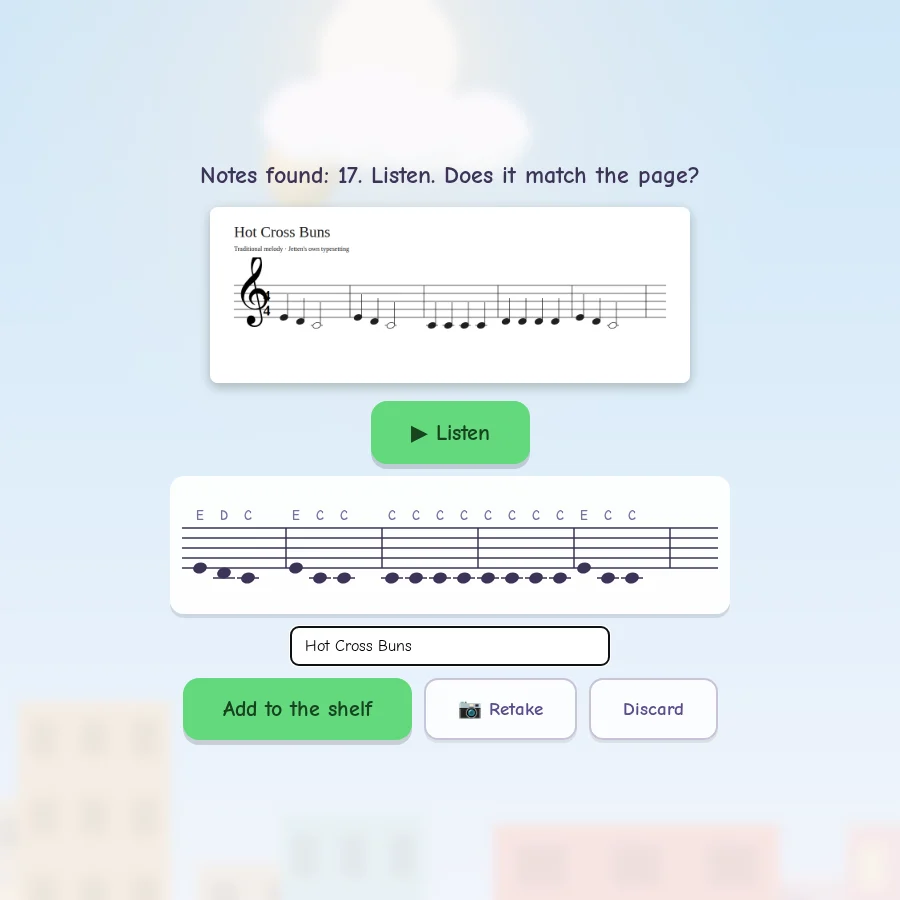
This week's homework. This week's flight.
Their lesson book can come along.
A parent can photograph a suitable page of sheet music. Listen to the recognized notes, compare them with the page, and correct mistakes before saving a new flight route.
Photo recognition sends the image to our server. Temporary files are deleted after processing. Photo recognition can miss notes or a hand. Always check the result. Start with a clear, simple page and music you are allowed to use.
Room to find their rhythm
One song. Four ways to grow.
Begin with finding the notes. Add a gentle pulse, then try the rhythm when they're ready. The easier flights are always there to return to.
Find the notes
The plane waits for every right note.
Feel the pulse
A quiet visual beat. Still no timer.
Try the rhythm
Fly at a slower, steady tempo.
Let it flow
Play the route at its written tempo.
62 built-in routes, including arrangements, plus a quick note-reading game. Short flights for small practice sessions.
A practice companion. With their teacher on board.
Made for young beginners who already take piano lessons. Jetten gives notes and rhythm a playful setting. Their teacher still guides fingering, posture, expression, and technique.
Their progress stays with them.
We measure visits and game activity with PostHog EU. A cookie stores a random browser identifier for up to one year across the Jetten landing and Piano sites. Analytics excludes names, recordings and sheet music. Do Not Track and Global Privacy Control disable analytics. Audio sharing remains off unless a parent enables it.
How privacy worksQuestions?
Before your first takeoff
Do we need a special piano?
Start with an acoustic piano or a keyboard that plays through speakers. Jetten uses your device microphone for single-note melodies. A quiet room helps. The first-flight check lets you test your setup before continuing.
Which devices can we use?
Jetten is a browser app for phones, tablets, and computers. Start with a current Chrome browser on Android, or Safari on iPhone and iPad, and check microphone input on your device. Play with the screen sideways. You can add it to your home screen for next time.
Can we play with both hands?
Microphone detection listens for one note at a time. Chords and simultaneous two-hand parts generally need a compatible MIDI connection. USB MIDI and Bluetooth MIDI depend on the piano, browser, and device; they are optional for single-note practice.
Who is it for?
We are starting with young beginners, roughly ages 6-10, who have a teacher and a piano. That is our pilot audience, not a strict age limit. A parent can help with setup and adding lesson music.
How much does it cost?
The pilot is free, with no account or payment details required. We are learning from families before introducing paid options. There is no subscription to cancel. Any future paid offer will explain exactly what is included.
Will our songs and progress be saved?
Progress and accepted imports are saved in this browser. Download a backup from For parents before clearing browser data or changing devices. Built-in songs can work offline after they are cached; adding music from a photo needs a connection.
Can teachers try it with their students?
Yes. We would like to hear from teachers and families trying short practice sessions between lessons. Try a flight, then email Tomas with what worked and what got in the way.
The sky is ready
Let's play a little piano.
A few notes are all it takes to start. Try a free first flight together.
Try the first flightTrying it with your family or students? Tell Tomas how it went.